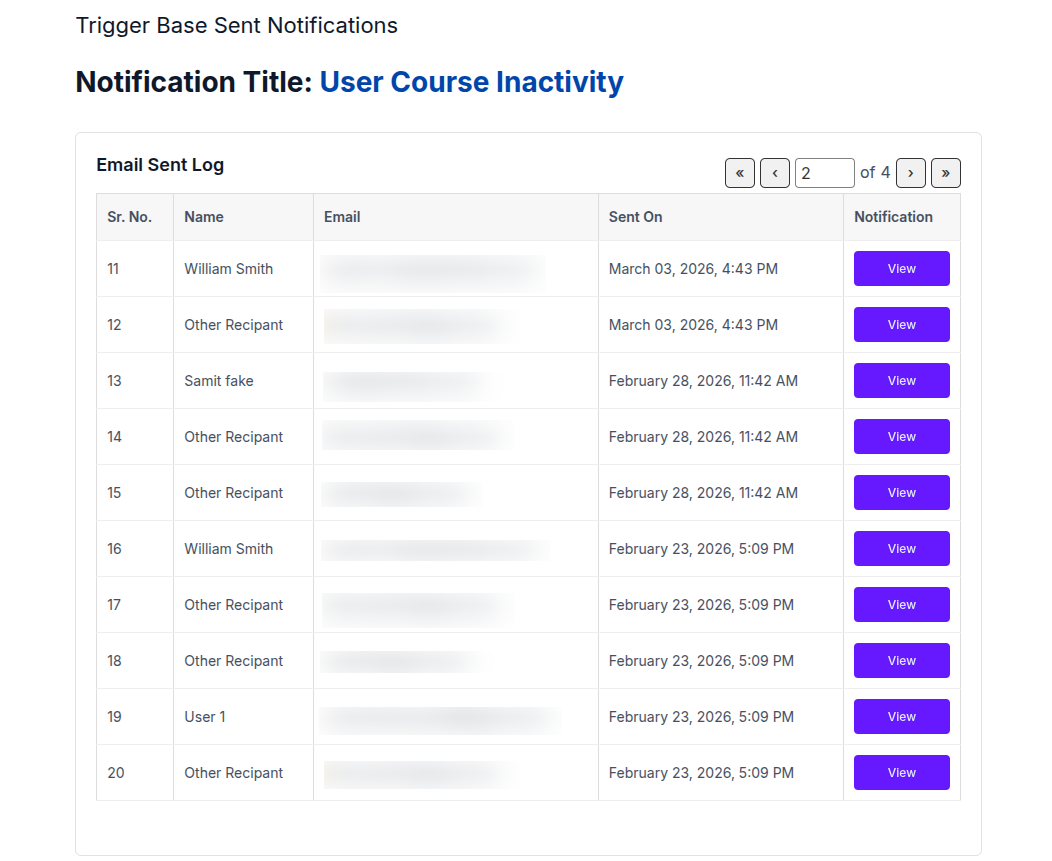
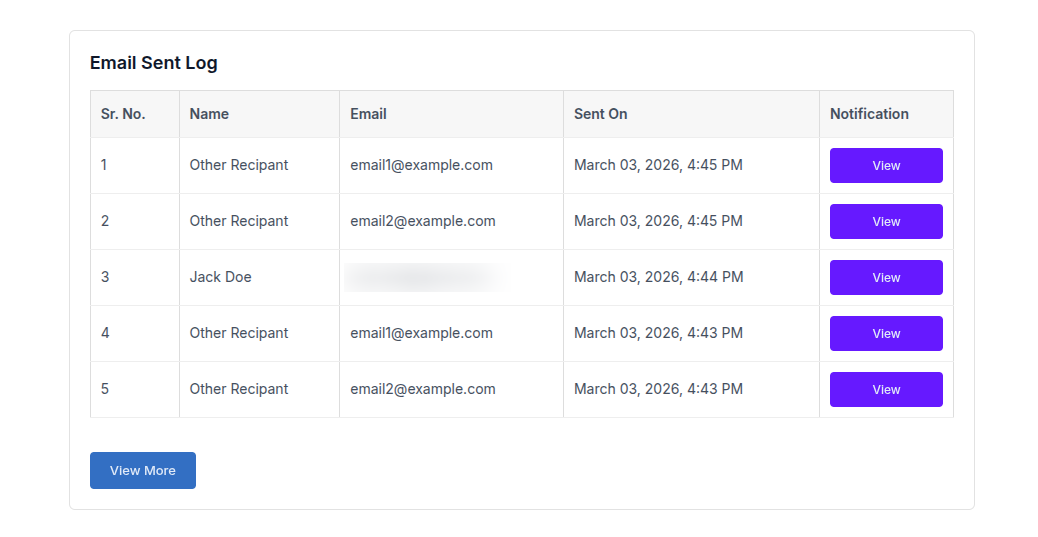
The Email Sent Log section is available on the same page where the trigger-based notification is configured. This section provides a quick overview of the emails that have been sent for the selected trigger notification.
The log displays the most recent email entries with the following details:
- Sr. No. – Serial number of the email entry
- Name – Name of the user to whom the email was sent
- Email – Recipient’s email address
- Sent On – Date and time when the email was sent
- Notification – “View” button to view the sent notification
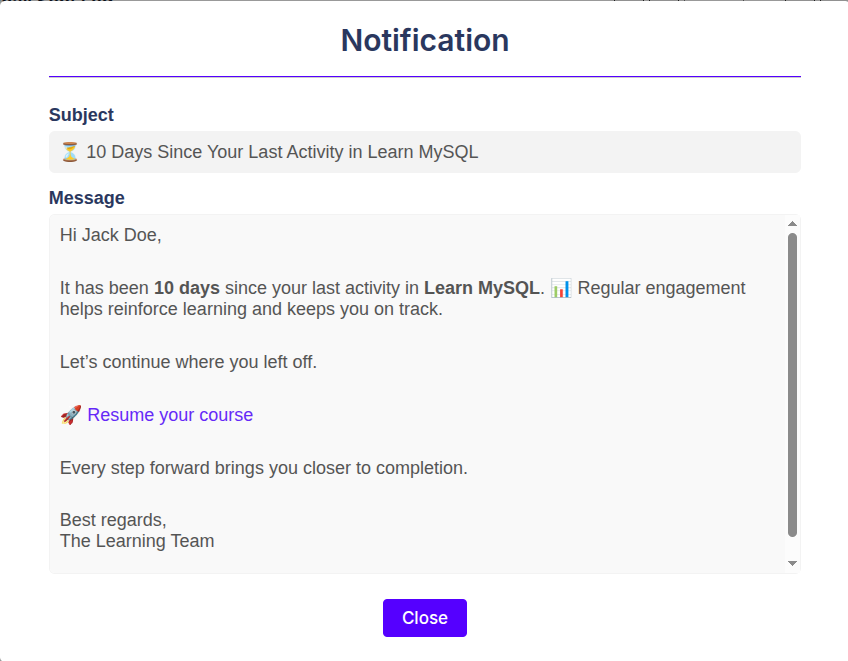
View Notification: Each row contains a View button in the Notification column.
When clicked, it opens a pop-up modal displaying the exact notification that was sent to the user. The pop-up shows:
- Subject – The email subject that was sent
- Message – The complete email message content
This allows administrators to quickly verify the exact content of the notification without leaving the page.
View More: Below the log table, a View More button is provided. When clicked:
- A new page opens displaying all sent notifications related to the selected trigger notification.
- The entries are displayed using pagination, allowing you to browse through the notification history efficiently.
- By default, a limited number of records are shown per page, and additional records can be accessed through the pagination controls.
This feature helps you review the full history of emails sent for a particular trigger notification.