
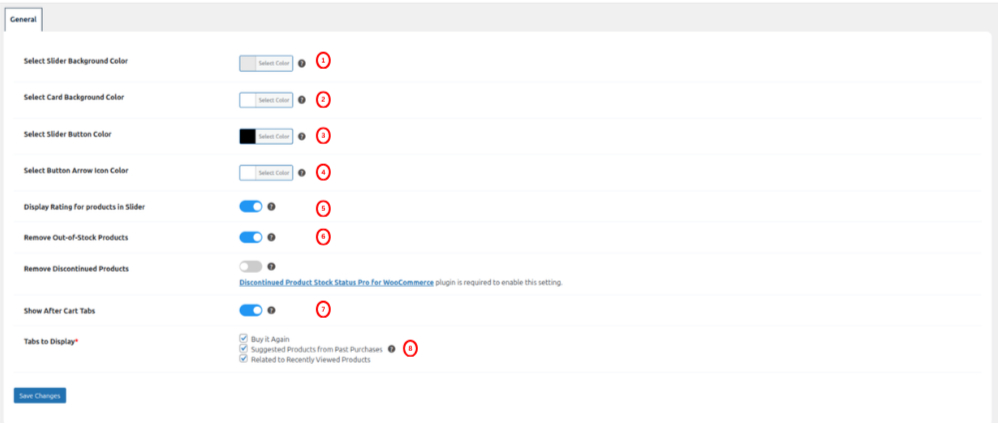
- Select background color: This setting allows admin to pick the background color to change the background color of the product slider.
- Select Card Background Color: This setting allows admin to pick the background color to change the background color of the product slider card.
- Select Slider Button color: This setting allows admin to pick the color to change the color of the previous and next button within the Products slider.
- Select Button Arrow Icon Color: This setting allows admin to choose the color of the arrow icon displayed inside the previous and next navigation buttons of the AJAX product slider.
- Display Rating for Products in Slider: This setting allows admin to enable or disable the display of product ratings within the AJAX product slider. When enabled, the product’s rating will be shown on each product card in the slider, helping users quickly assess product quality while browsing.
- Remove Out-of-Stock Products: This setting empowers admin to include or exclude out-of-stock products from appearing in the products sliders, widgets, back pages, and cart tabs. By default, all out-of-stock products are not displayed.
- Remove Discontinued Products: This setting allows admins to remove all discontinued products from appearing in the products sliders, widgets, back pages, and cart tabs. By enabling this setting, the plugin will filter out any products that are discontinued, ensuring only available items are displayed to customers.Note: This setting will only be available and functional if the Discontinued Products Plugin is activated.
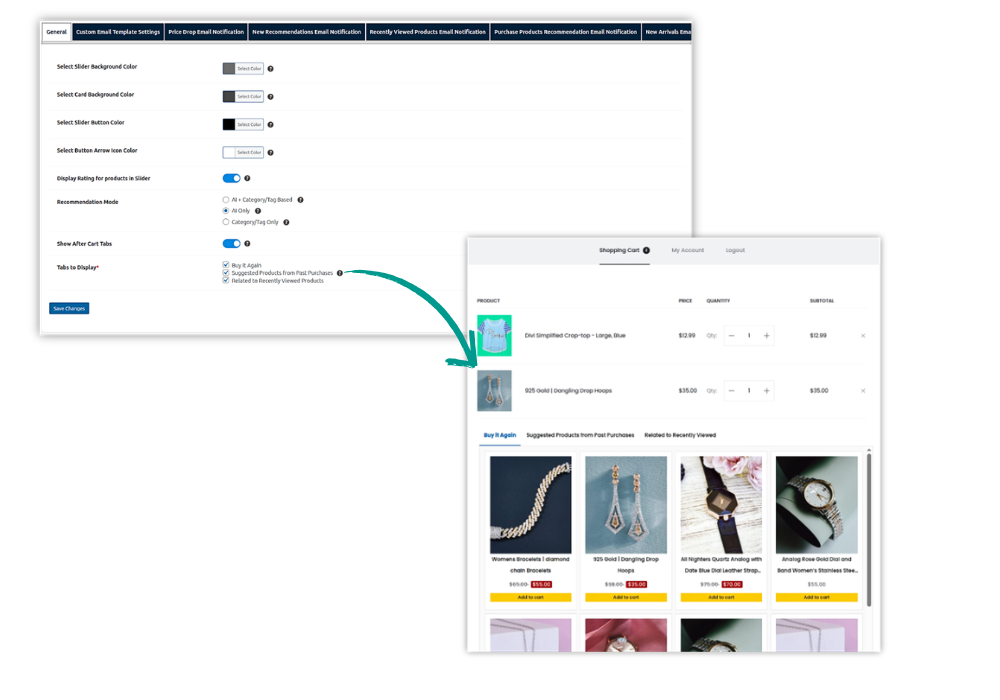
- Show After Cart Tabs:This setting allows admin to enable product recommendation tabs displayed after the cart on the cart page. When this option is enabled, an additional setting becomes available.
- Tabs to Display*:
(Visible only when “Show After Cart Tabs” is enabled)
This setting allows admin to choose which recommendation tabs should be displayed. Multiple tabs can be selected using the checkboxes below:- Buy It Again – Displays products previously purchased by the customer.
- Suggested Products from Past Purchases – Displays product recommendations based on for the customer’s purchase history.
- Related to Recently Viewed Products – Displays products related to items recently viewed by the customer.
Each selected tab will display its respective products in a dedicated tab section.
- Tabs to Display*:
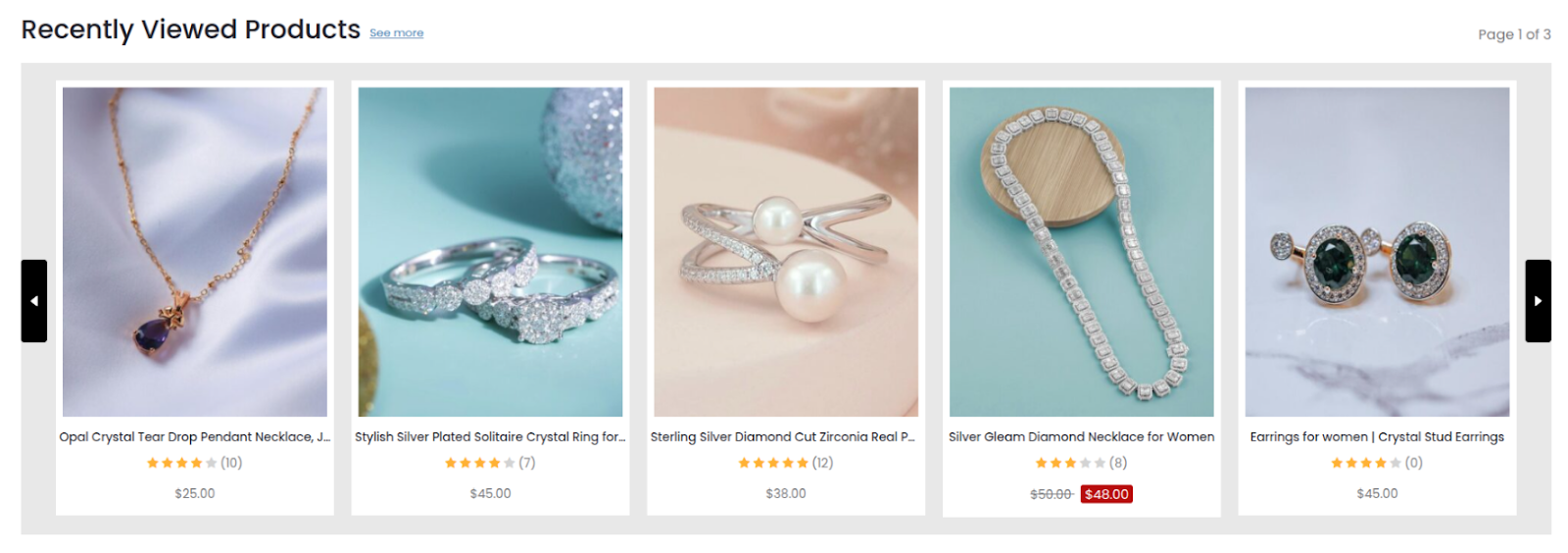
The chosen background color in the ‘Select Background Color’ setting will be applied as the background color. Similarly, the color selected in the ‘Select Button Color‘ setting will be utilized for the previous and next buttons within the product slider. By default, the background color is set to gray, the card color is set to white, and the button color is set to black for the product slider as shown in the image above.