







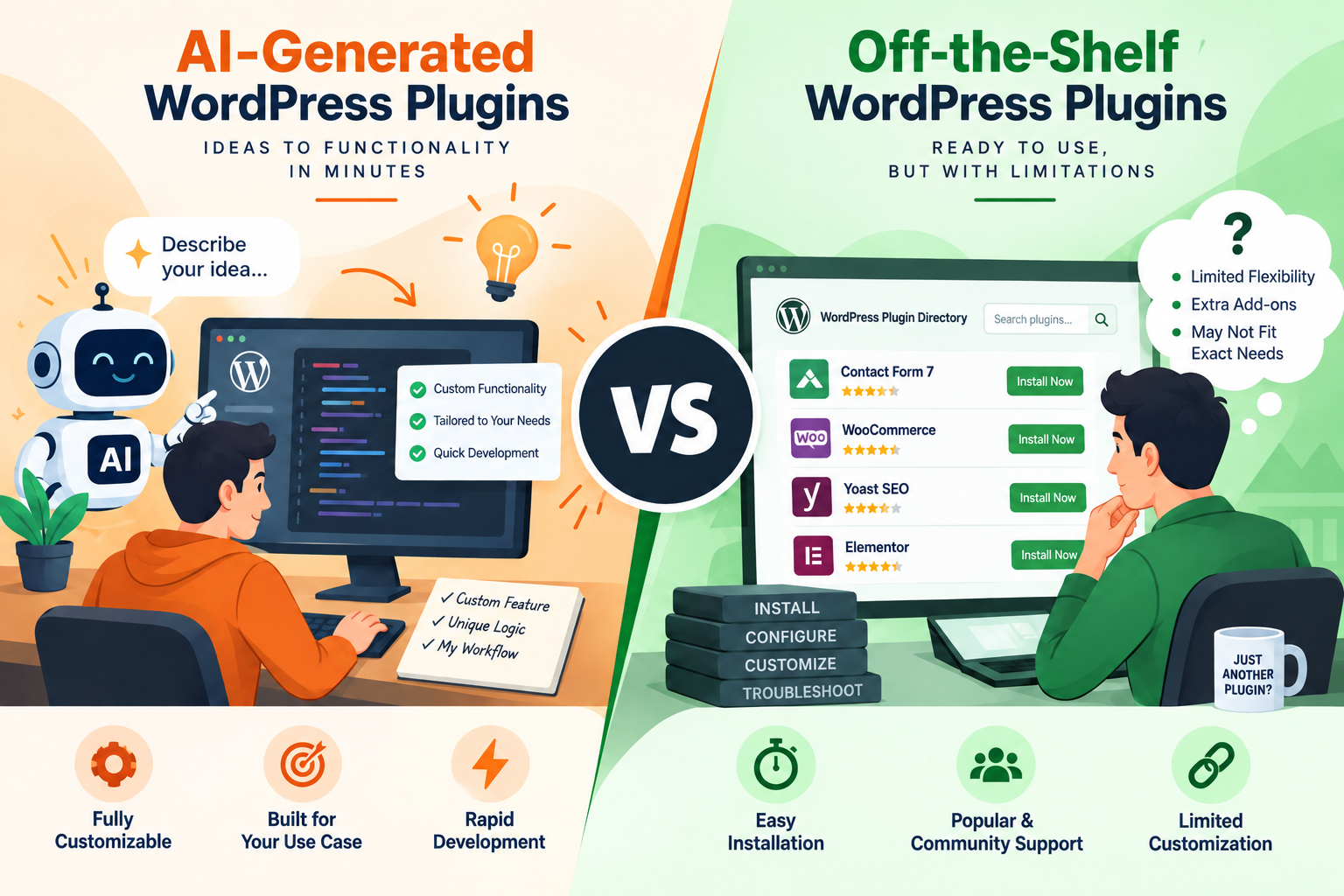
Suppose you require a “small” WooCommerce feature that isn’t present in the plugins you already use. Perhaps you need product tags to sync automatically to an internal spreadsheet. Rather than going to plugin marketplaces or hiring a developer, you may now just tell an AI coding assistant what you need, and receive the plugin working in minutes.
While this might seem convenient, it also brings up a significant question: Is it as reliable as an off-the-shelf plugin?
Throughout WordPress’ history, the decision was always one of either building it on your own, investing in WordPress plugin development services, or looking up a similar plugin in the WordPress repository or a premium marketplace. There is now a fourth one in the middle. You state in the simplest terms what you need and AI creates the plugin for you. It alters the approach that site owners must take for cost, development time, security and long term maintenance.
This isn’t just an idea for the future. More WordPress users are already using AI to create custom code and plugins. However, one that functions immediately is not always “plug and play” for a live store. The dangers can be quite different from using an AI tool plugin to a pre-made solution.
Feature by Feature: How They Compare

Before getting into the detail, here’s how the two approaches stack up:
| Off The Shelf | AI Generated | |
|---|---|---|
| Security review before launch | Repository vetting or vendor QA, though quality varies widely | None by default; entirely on whoever generates it |
| Time to deploy | Minutes to hours after purchasing the plugin | Hours to days to develop, test and integrate |
| Cost | Mostly between $50-$100 for a premium plugin | Varies depending on number of tokens used |
| Fit to your exact use case | Moderate, built for the average customer, not your setup | Very high, since it's built for one job |
| Ongoing maintenance | Handled by the development team, if the plugin is still active | Falls on you; no team tracking WordPress or PHP updates |
| Support when something breaks | Support forums, documentation, or a paid support channel | None; every bug has to be debugged from scratch |
| Track record / real-world testing | Install counts, ratings, and years of exposure | None on day one |
| Update and patch cadence | Scheduled releases, assuming it isn't abandoned | Only when someone notices and re-prompts |
| Best suited for | Core, high-stakes, site-wide functionality | Narrow, low-stakes, internal tooling |
Two Different Starting Points, Two Different Risk Profiles

An off-the-shelf plugin, whether it’s free from the WordPress.org repository or a paid product from a marketplace, has usually been through some form of human review. Submissions to the repository are manually reviewed before being approved.
Premium products almost always have a development team, changelog, support inbox that receives bug reports, and (ideally) a security researcher somewhere in the middle of the process who is paid to look for issues that could be exploited by an attacker. Even so, choosing plugins with strong WordPress security remains important.
AI-generated plugins skip nearly all of that. There’s no submission review, no changelog history to check, no community of users who’ve already hit the edge cases and reported them. The code exists the moment the model finishes writing it, and whether it’s good depends entirely on how carefully the person who generated it tested it afterward, which in practice is often “not very.”
This isn’t exactly a comforting piece of information. In fact, Veracode’s research revealed an average security pass rate of approximately 56% for AI-generated code, with around 44% of the generation tasks resulting in a noticeable security vulnerability. The number has not changed significantly since the days of the earlier AI models that could create code that compiles and runs.
The study by AppSec Santa revealed that 25.7% of samples of AI-generated code contained at least one confirmed vulnerability, as tested against the OWASP Top 10 list. The analysis was conducted on 522 samples from six popular language models and the security findings were manually checked.
This was a similar issue that was previously identified in academic studies. A recent 2021 research project about GitHub Copilot found security vulnerabilities in approximately 40% of the generated code in its test scenarios. The bigger lesson: code can be clean, compile, run, and have security vulnerabilities that need a proper security review to detect.
None of that means marketplace plugins are safe by comparison. They’re not. Patchstack’s 2026 security report puts plugins at 91% of all new WordPress vulnerabilities disclosed last year, and the ecosystem is publishing something like 36 new plugin vulnerabilities every day.
The difference is that a popular off-the-shelf plugin has usually survived some amount of adversarial testing already, by security researchers, by bug bounty hunters, by the sheer number of sites running it.
A plugin generated an hour ago by an AI model for a single store has survived none of that. It’s an unknown quantity running with the same database and file-system access as anything else on the site.
Where AI-Generated WordPress Plugins Win

It would be unfair to frame this as AI code being categorically worse. The advantages are real, and they’re the reason this trend isn’t going away.
Speed is the obvious one. A narrow, single-purpose task, syncing two fields between systems, adding a custom shipping rule, formatting an export, can go from idea to working code in an afternoon instead of a two-week dev cycle.
For a store owner who needs something very specific and can’t find a close match in any marketplace, a custom WordPress plugin generated on demand is often faster and cheaper than commissioning custom work from an agency.
There’s also the fit problem. Pre-built plugins are built for the average use case, which means most stores end up running something 80% suited to their needs and either living with the gap or bolting on a second plugin to cover it.
A narrowly generated plugin can, in principle, be written to do exactly one thing without the bloat associated with overusing WooCommerce plugins to cover every possible requirement. This is where the “plugin dependency vs custom WordPress development” factor comes in.
And most importantly, AI-coded code isn’t necessarily bad when supplemented by real reviews. The security pass rates for models tested by Veracode ranged from 70 to 72%, a significant improvement over the baseline of around 55%, indicating the models perform much better when they are given the chance to think through the task and not just autocomplete a pattern they’ve seen previously.
If you take whatever is spit out by the model, the floor is low. If a capable developer uses the output as a rough draft and not a finished product, then the floor quickly mounts up.
Need a secure, production-ready plugin built for your needs?
Talk to our WordPress plugin development experts todayWhere Off-the-Shelf Plugins Have the Edge

Maintenance is the quiet advantage established plugins hold, and it’s easy to underestimate until it becomes a problem. WordPress core updates, PHP version bumps, and WooCommerce schema changes can all break a plugin, which is why safely updating WooCommerce matters when evaluating the long-term maintenance of any plugin.
That’s the maintenance advantage that AI-generated plugins often don’t have – a team and a development lifecycle. A plugin that’s good isn’t just a concept that’s immediately packaged into a ZIP. It usually consists of the following phases: requirements gathering, architecture and development, functional testing, security testing, compatibility testing, performance testing, deployment, documentation and continuous maintenance. Several different people might be involved in various aspects of this process, providing several layers of scrutiny before and after the plugin gets to the users.
That’s the process after the first release. Developers listen to bug reports, test the plugin with new WordPress and WooCommerce versions, look for security vulnerabilities, resolve compatibility problems, optimize the plugin speed and publish updates if there are changes. A full-fledged plugin, then, has a continuous feedback loop between development, testing, users and maintenance.
A one-off AI-generated plugin has no such team. It has whoever generated it, and unless that person is watching for breakage and re-prompting fixes, the plugin will quietly rot the same way an abandoned repository plugin does, just faster, because it never had community eyes on it in the first place.
Support is the other piece. When a packaged plugin misbehaves, there’s usually a support forum, a documented changelog, or at minimum other users who’ve hit the same bug and posted a workaround.
A custom WordPress plugin built by an AI model for one store has none of that. Every bug is a novel bug, debugged from scratch, usually by whoever generated the code in the first place, who may not have the background to diagnose a subtle SQL injection risk or a broken nonce check even if they can read the error message.
The other, easily ignored but very helpful, trust signal is install counts, ratings and review history. They are not perfect, but they are real-world exposed, a plugin with 10,000 installs can be poorly written, but a freshly generated plugin wouldn’t be able to compete with that number of real-world uses on day one.
The Question Most Teams Skip: Who's Actually Reviewing the Code

The riskiest pattern we see isn’t AI-generated WordPress plugins existing in the first place. It’s that kind of plugin being deployed to a live, revenue-generating store without anyone who understands PHP or WordPress security actually reading the output first. That’s not a knock on the tooling. It’s the same mistake as installing an obscure, five-install plugin from an unknown developer because the description sounded right, except now the “developer” is a model that has no track record, no reputation to protect, and no incentive to flag its own blind spots.
A workable approach looks less like “AI plugins bad, marketplace plugins good” and more like a checklist applied consistently regardless of source:
- Treat every AI-generated WordPress plugin like code from an unknown, unvetted contractor. Read it, or have someone who can read PHP read it, before it touches a production database.
- Scope it narrowly. The safest generated plugins do one specific thing and request the minimum WordPress capabilities needed to do it, the same least-privilege principle that applies to any new dashboard access.
- Check for the obvious red flags: unescaped database queries, missing nonce verification on form submissions, hardcoded credentials, and any function that reaches outside the site without a clear reason.
- For marketplace plugins, check the “last updated” date before anything else. A plugin untouched for over a year is functionally abandoned even if it’s still listed as active, and abandoned plugins are a documented driver of the vulnerability numbers cited above.
- Run either option through a staging environment first, not production. This sounds obvious and gets skipped constantly, especially with AI-generated code because it “looks done” the moment it compiles.
Neither path removes the need for a human who understands what the code is doing. AI-generated plugins just move that responsibility earlier in the process, before deployment instead of after a support ticket, and established plugins spread that responsibility across a wider group of eyes over a longer period of time.
Which One Should You Actually Use
If the application is narrow and low stakes, if it’s internal, if it’s really just a one-off admin tool, a quick export script, a custom WordPress plugin created for a specific situation, a one-off payment extension – if someone looks at it before it touches the customer’s data or customer payment flows, this is often the pragmatic approach.
If a plugin is involved in checkout or customer records or in affecting site-wide functionality, it’s better to stick with a known marketplace plugin that has a history of patching known vulnerabilities in a timely fashion, a real support channel, and an active maintenance history.
There are many teams out there that end up in a situation where they have to use both: some high-quality plugins for the features that they require a battle-tested solution to, and small, vetted, AI-generated plugins for the specific features that no plugin in the marketplace has quite got right.
AI-generated plugins just move that responsibility earlier in the process, before deployment instead of after a support ticket, while broader AI security and governance considerations are becoming increasingly important as AI-generated code becomes more common.
It’s not about technology. Review discipline is. It’s better to have a plugin created by AI and reviewed carefully than a marketplace plugin that hasn’t been touched since 2023, and a messy off the shelf plugin from an unvetted developer is riskier than both. The source code will be indicated on the label. Does not indicate if anyone actually inspected it.
FAQs
Are AI-generated WordPress plugins safe to use on a live store?
They can be, but only with review. Independent testing has found that AI-generated code introduces a security vulnerability in roughly a quarter to nearly half of tasks depending on the model and study, so unreviewed AI output should not go directly into a production environment handling customer data or payments.
How do AI-generated plugins compare to pre-built options on cost?
Creating a focussed, one-purpose plugin can be more affordable and quicker than custom development or purchasing an expensive plugin subscription that you use just in part. That the initial savings might be lost over time due to maintenance and debugging costs of an unsupported, one-off plugin.
Do pre-built plugins get hacked less often than custom code?
Not automatically. In 2025, 91% of new WordPress vulnerabilities that were disclosed were plugins, and abandoned or poorly maintained marketplace plugins are still one of the most popular attack vectors for WordPress. This means that the more popular a topic is, and the more reviews it has received, the lower the level of risk, but not zero.
Can I trust a plugin just because a lot of people have installed it?
Count & rating installations are a good indicator, but not a guarantee. They represent exposure and/or real world testing, which is real value, but a widely installed plugin that has ceased getting updates may still have known vulnerabilities that have not been patched.
What's the biggest mistake teams make with AI-generated WordPress plugins?
Delivering it right to production where there is no one checking it for basic security issues such as input sanitisation, nonce verification, capability checks, etc. Most risk is in treating the generated code as a finished piece of work, rather than a first draft.
Should I ever mix AI-generated and traditional plugins on the same site?
It depends. Many teams already do! Established plugins make sense for ‘core’ high-stakes functionality that has proven to have merit, and reviewed AI-generated plugins can be useful for filling in the gaps that no existing product can.