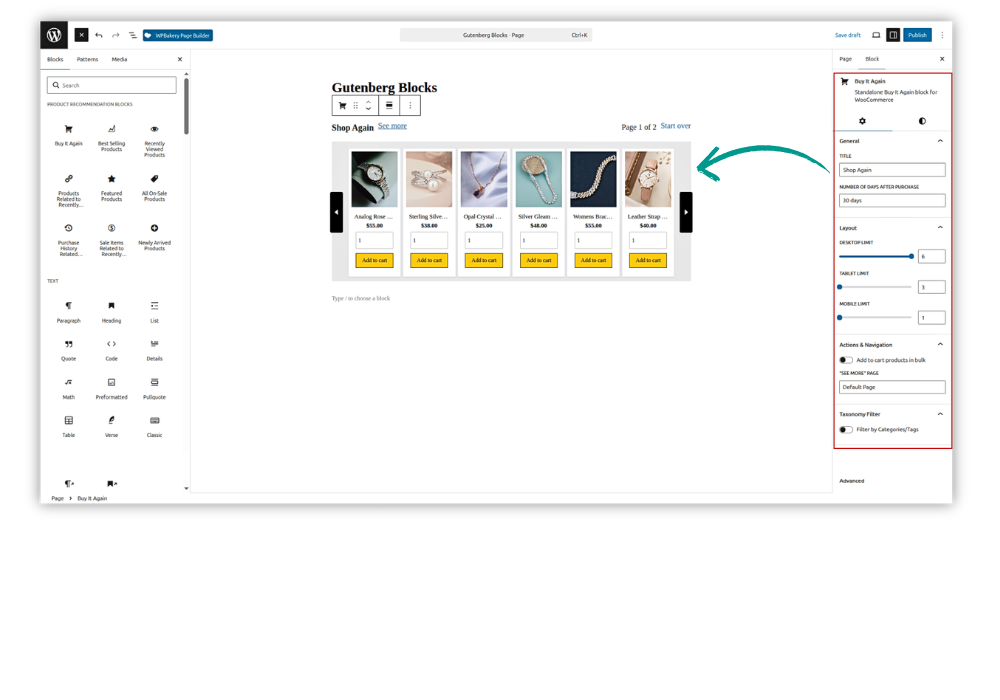
AI Product Recommendations Pro for WooCommerce includes dedicated Gutenberg blocks for displaying product recommendation sliders directly inside WordPress pages and posts. These blocks remove the need to copy and paste shortcodes and allow administrators to preview recommendation sections directly in the block editor.
The following product recommendation blocks are available:
- Buy It Again
- Best Selling Products
- Recently Viewed Products
- Products Related to Recently Viewed Products
- Featured Products
- All On-Sale Products
- Purchase History Related Products
- Sale Items Related to Recently Viewed Products
- Newly Arrived Products
Adding a Product Recommendation Block
Navigate to:
WordPress Dashboard → Pages → Add New
You can also open an existing page and click Edit.
- Click the “+” Add Block button.
- Locate the Product Recommendation Blocks section in the block inserter.
- Select the recommendation block that you want to display.
- The selected block will be added to the editor, and a preview of the product slider will appear.
- Select the block to open its settings in the right sidebar.
- Configure the slider-specific options available in the Block settings panel.
- Changes made to the block settings can be previewed in real time inside the editor.
- Click Publish or Update to save the page.
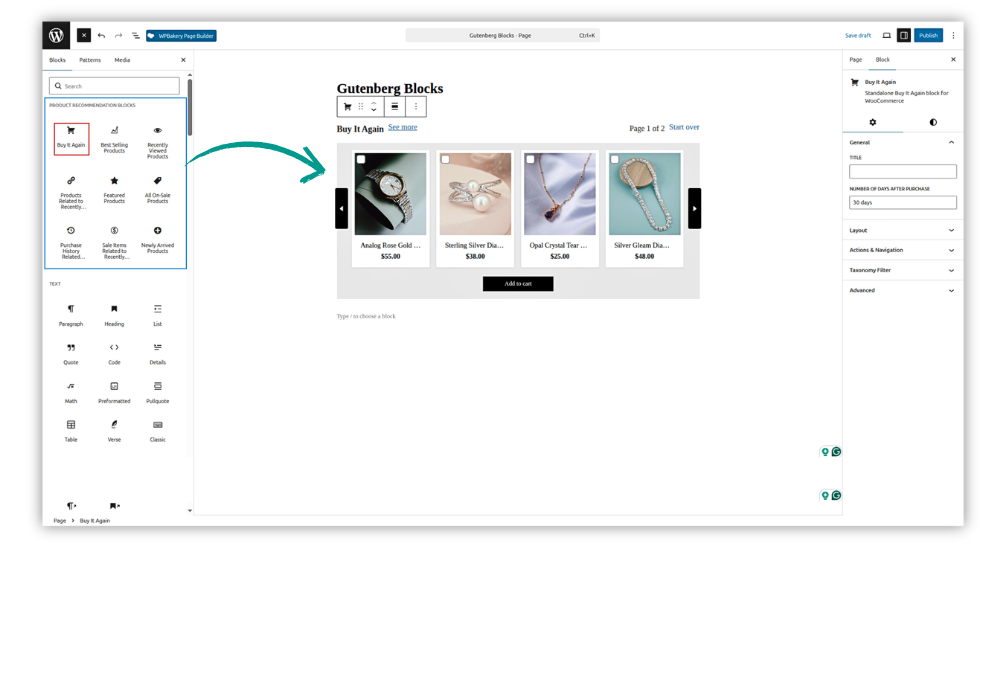
The settings shown in the right sidebar depend on the selected recommendation block. Since these options are already explained in their respective plugin settings sections, administrators can use the sidebar to quickly adjust the block-specific configuration and immediately review the result in the editor.