The Frequently Bought Together tab on the Product Settings page allows admins to configure frequently bought together products and optionally apply a discount to them.
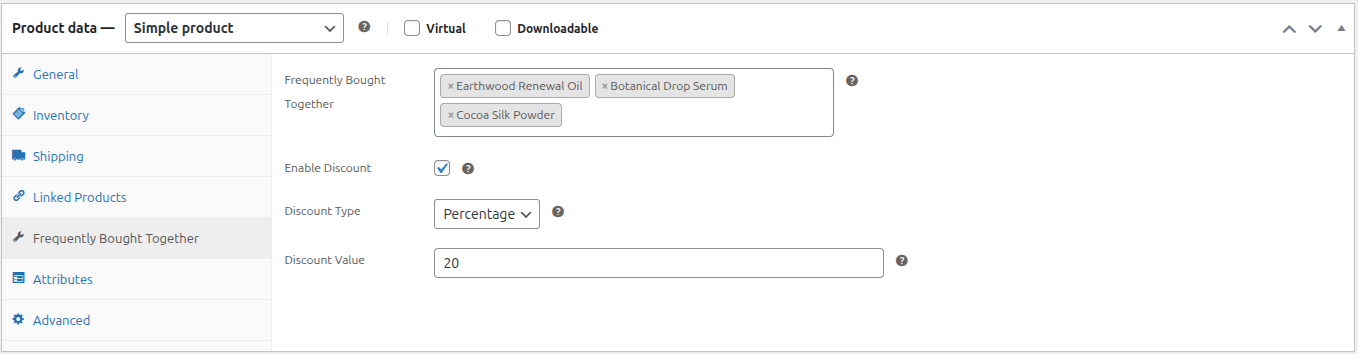
- Frequently Bought Together: This field allows you to search for and select the products that should be displayed as frequently bought together items on the current product page.
- Enable Discount: Enable this option if you want to offer a discount when customers purchase the frequently bought together products.
- Discount Type: Choose the type of discount to apply. The available options are:
- Fixed: Applies a fixed discount amount.
- Percentage: Applies a discount based on the specified percentage of the total price.
- Discount Value: Enter the discount amount or percentage, depending on the selected Discount Type.