







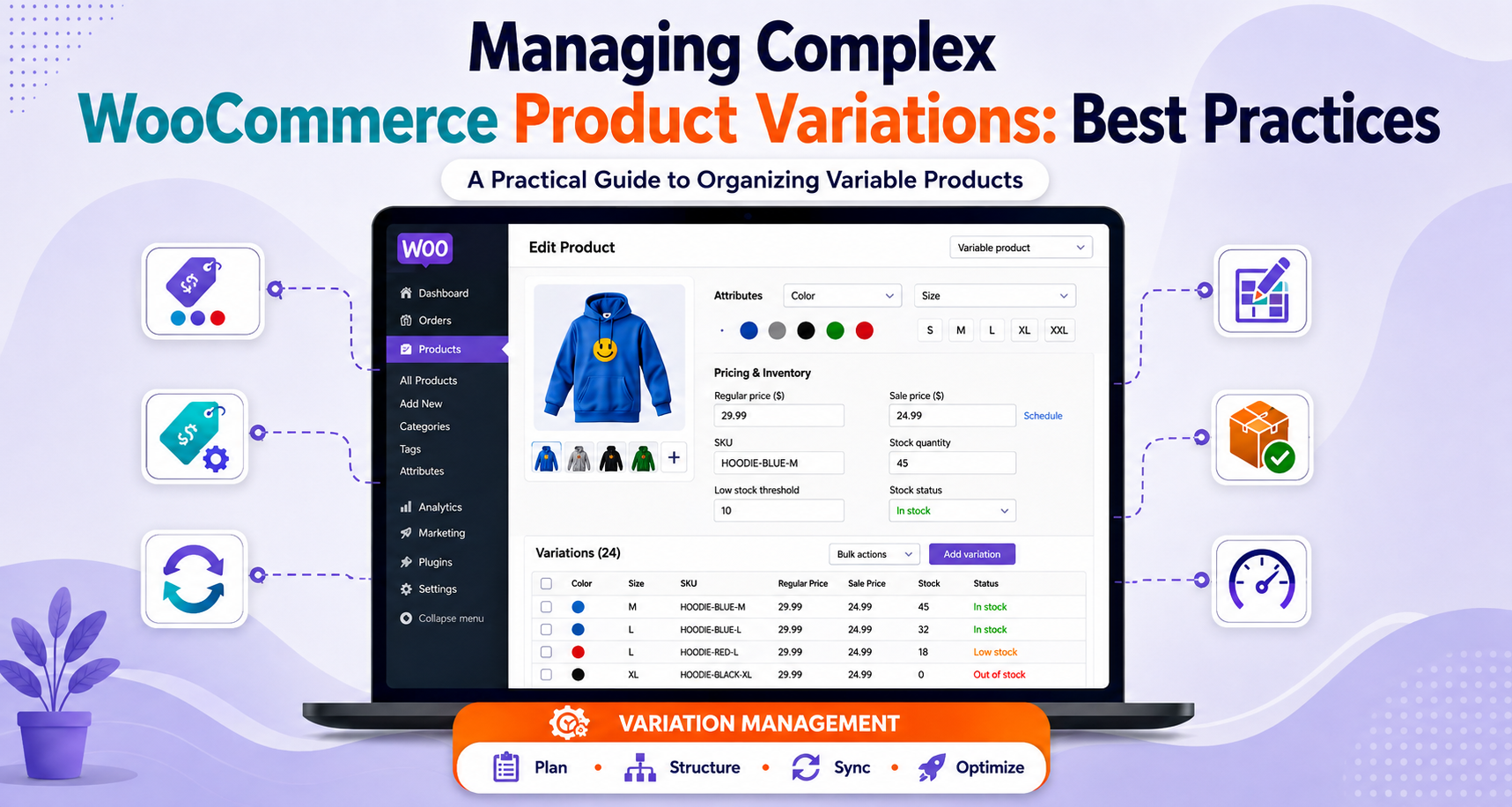
The first time a client requests a product with 300 variations, it’s a simple issue to have. More options to choose from, more ways to match what a customer really wants, more revenue per listing.
After a few seconds, the product page loads, the drop downs get funky, and a member of the support staff receives emails about a “Size” attribute that’s no longer available in the store.
Day 1 is flexible, month 3 is maintenance.
Most store owners experience problems with WooCommerce product variations because of the difference between what WooCommerce is capable of and what it can do well. You can create a variable product in WooCommerce with hundreds of variations and there is no problem. It will not state up front that your product page is going to be the slowest on the site or that your stock levels are slowly becoming mismatched.
Understanding product variations on WooCommerce at scale is not necessarily a matter of knowing the feature exists, but also where it bends, where it breaks, and how to structure it so that it doesn’t.
What really happens when variation counts rise, where the true limits are, and the decisions that need to be made – such as WooCommerce variation attribute management and product variation performance testing – that ensure complex product catalogs are fast, accurate and easily manageable for anyone tasked with maintaining it after launch.
Why Complex WooCommerce Variations Break Things That Simple Variations Don't

A product with three variations, say, a T-shirt in three sizes, behaves almost identically to a simple product. The dashboard loads fine, the front end renders instantly, and stock tracking is trivial to eyeball.
Complexity doesn’t scale linearly, though. The number of variations doubles when a second attribute, such as color, is added and triples when a third attribute, such as material, is added. Four sizes x six colours x three materials = 72 combinations, which is not a huge catalog in the apparel, hardware or made-to-order world.
Each of these combinations represents a row in the database, of course with a different price, stock, SKU, and frequently a different image. WooCommerce considers each variation as a separate product under the hood, which is why a WooCommerce variable product with a couple hundred variations doesn’t act like a larger one with a dozen variations. It behaves like a new type of problem.
It’s also where the daily admin life begins to get cumbersome, before customers even turn on their screens. Editing a product with 150 variations is a long, repetitive process that requires users to scroll through the list and then second guess whether the price change also affected the row they wanted to edit, or if they missed a variation that was out of stock at the time and got one out of the blue.
Where Do WooCommerce's Variation Limits Actually Sit?

There is no strict limit on the number of variations WooCommerce allows, but there are soft limits built in to ensure performance, and knowing about them will affect the way you need to organize a catalog.
The default setting of WooCommerce is to change from loading all variations of a product to loading only the combinations of the product dynamically as a shopper selects them with AJAX as the number of variations exceeds about 30. The filter name is woocommerce_ajax_variation_threshold and WooCommerce’s own documentation suggests a value as low as possible yet still effective for a store, as high values may impact product-page performance.
Well configured sites have reported acceptable performance levels well beyond 50 variations, but performance is likely to suffer significantly above about 200 variations if the site is on standard hosting space due to the underlying architecture having to process all the variation data to ensure that the selections, pricing, and availability are correct before it can render anything. One widely discussed support case recorded a product page with over 150 variations loading in 4 to 5 seconds.
In practice, that means that you should rethink your attribute structure when you hit 30 variations, but do performance work when you hit 50 to 200 variations, and seek a new product architecture beyond 200 variations.
If the variation rules are very specific, there exists a custom pricing logic, or if there are intricate inventory relationships, businesses may choose to hire WooCommerce developers to examine the product architecture and create a more scalable setup for the company.
Rethink the Attribute Structure Before You Rethink the Hosting

The instinct when a WooCommerce variable product gets slow is to reach for a caching plugin or better hosting first. Sometimes that helps. More often, the real fix is upstream, in how the attributes were modeled in the first place, which is really a variation attribute management problem rather than a server problem.
A few structural questions are worth asking before adding another attribute to a product:
Does this attribute actually change the product or does it merely describe it? Product-level facts, such as care instructions, country of origin and warranty length, are not variations and should be included in the description or in a custom field, not in the variation matrix.
Could this be two products instead of one? A product line that spans radically different price points or use cases, work boots and dress boots under one “Footwear” listing, for example, often converts better and loads faster as separate WooCommerce variable products than as one bloated listing trying to hold every combination.
Is every combination actually sellable? It’s common to see a variation matrix that technically allows a combination the business would never actually stock, small size in a material only made in bulk sizes, for instance. Pruning those out before generating variations keeps the count honest.
WooCommerce product variation swatches plugins deserve a specific mention here, because they change customer behavior as much as they change performance. Swapping plain text dropdowns for visual swatches, color chips, thumbnail images, material textures, tends to reduce the back-and-forth clicking shoppers do to compare options, which in turn reduces how much variation data the front end has to process per interaction. It’s a rare case where a UX improvement and a performance improvement point in the same direction.
Need help managing a complex WooCommerce catalog?
Talk to our WooCommerce Experts!Inventory Management Gets Harder Faster Than You Expect

Stock tracking is where complex variation setups tend to quietly go wrong first, often long before anyone notices a speed problem. Each variation can carry its own stock quantity, backorder setting, and low-stock threshold, which is powerful in theory and easy to lose track of in practice once a catalog runs into the hundreds of active combinations.
A few patterns show up repeatedly on stores with complex variation setups:
Stock drifts out of sync with reality. Manual updates across dozens of WooCommerce variations invite typos and missed rows, especially when updates happen under time pressure during a restock.
Low-stock alerts become noise. A store that stocks a product with 80 variations can end up with a dozen or more low stock alerts weekly, and employees begin to tune out the alerts, counteracting the reason for them.
Backorders get enabled inconsistently. It’s easy to set backorder rules at the product level and forget that individual variations can override them, leading to some combinations quietly selling through when they shouldn’t.
For stores managing dozens or hundreds of active variations, WooCommerce stock management plugins can also reduce the amount of manual work involved in monitoring stock levels, low-stock alerts, and backorders.
Another useful consideration is how you handle products that are no longer available. Discontinued Products Stock Status Pro for WooCommerce allows store owners to mark discontinued products with a clear “Discontinued” status while suggesting alternative products to shoppers. This gives customers a transparent path forward instead of leaving them at a dead end, while helping stores preserve valuable SEO traffic and avoid losing potential sales from discontinued items.
The fix isn’t more diligence, since diligence doesn’t scale with catalog size. It’s process: a defined cadence for reconciling variation stock against actual warehouse counts, SKU naming conventions that make a variation’s attributes readable at a glance without opening the edit screen, and, past a certain catalog size, WooCommerce inventory management plugins or a dedicated PIM system that syncs into the store rather than relying on manual edits inside the dashboard.
Treating WooCommerce inventory management as a recurring process rather than a one-time setup step is what actually keeps stock numbers trustworthy once variation counts climb.
The Case Against Maximum Flexibility

There’s a natural pull toward offering every combination a manufacturer makes available, because more options feel like better service. The data on choice overload complicates that instinct.
Industry research on cart behavior has found that stores with 50 or more products see higher cart abandonment than niche retailers, largely attributed to choice overload, and while that stat describes catalog breadth rather than per-product variation count specifically, the underlying mechanism, more decisions producing more hesitation, applies just as directly inside a single bloated product page.
A shopper who has to work through six attributes before finding out whether their preferred combination is even in stock is a shopper who has more chances to give up before checkout.
That’s a good consideration for a fully comprehensive WooCommerce variation matrix. In practice, stores that do a good job with complexity tend to be curators, not maximizers; they take the deals that sell and they eliminate the ones that don’t; and they don’t base their offerings on “we technically could offer this” as much as they do on “customers are actually asking for this.”
The leaner and the faster-loading, the variation set that converts well will generally be more effective than the exhaustive one that has the potential to cover all possibilities, but takes a long time to load.
All of this indicates that variations do not constitute a problem for conversion. If used correctly, they do the exact opposite, bringing together a dozen near-duplicate listings in one place – one well-optimized page that attracts demand that would otherwise spread across a dozen or more listings that would be competing for traffic. The goal isn’t fewer variations for their own sake. It’s variations that map to real demand rather than theoretical completeness.
A Practical Checklist for Complex Variation Setups

Pulling the above together, a workable approach for any product crossing into complex-variation territory covers roughly the same ground every time:
- Audit attribute necessity first. Remove anything that describes the product rather than genuinely varying it, and confirm every remaining combination is one the business will actually stock.
- Load-test the actual product page, not just the admin screen, since admin performance and front-end product variation performance degrade at different rates and for different reasons. Revisit variation attribute management on a schedule too, since attribute sprawl tends to creep back in as new options get added over time. These practices can also help you improve your WooCommerce variations as your catalog evolves.
- Set the AJAX threshold deliberately rather than leaving it at default once a product crosses 30 variations, and test the actual front-end load time after doing so.
- For products with more than a handful of variations, switch to attribute swatches, both for the UX benefit and the reduced data load per interaction.
- Standardize SKU and stock conventions across variations so a quick glance at the admin screen tells you what a given row actually is, without needing to open it.
- Set differentiated low-stock thresholds by variation value where sales velocity differs meaningfully between combinations, rather than one blanket number for every row.
- Split oversized listings into separate WooCommerce variable products when the combination count or price spread makes one listing unwieldy, rather than treating “more variations” as the default way to expand a catalog.
Custom WooCommerce development is also beneficial for stores with very complex catalogs that need more control over product configuration, inventory workflows and variation logic than are possible with standard configurations.
Conclusion
With proper care, WooCommerce product variations can be a valuable advantage, not a headache. WooCommerce’s variation system was designed to cater for true complexity, and for most stores, it’s very easy to get on top of it within the limits they will encounter.
Failure mode is not the feature itself, it is the goal of unlimited flexibility rather than a tool, and letting a variation matrix grow to accommodate every possible theoretical option rather than those that customers are buying.
The more you can do the following, the faster your product pages will remain, and the more accurate your inventory counts will be as your catalog expands:
The ones who don’t usually discover the issue the way most people do: from a customer grievance, or a five second load time no one noticed before the launch.
Frequently Asked Questions
How many WooCommerce product variations are too many for one product?
Of course there is no hard threshold, but 30 variations is where the AJAX threshold for WooCommerce begins, and 200 is where performance tends to drop significantly with standard hosting even with everything else configured fine. Don’t assume that default settings will suffice; anything over 50 should be deliberately performance tested.
Does adding more variations hurt WooCommerce site speed?
Yes, meaningfully, once you’re past a few dozen. WooCommerce has to process the full set of variation data server-side to validate selections and pricing, which is why one documented case saw a 150-plus variation product page taking four to five seconds to load even on otherwise capable hosting.
Should I use attribute swatches instead of dropdowns for complex products?
For any product with more than a handful of WooCommerce variants, generally yes. Swatches reduce the clicking and comparison shoppers do to evaluate options, and switching away from dropdowns can also reduce how much variation data has to load upfront on the product page.
What's the biggest inventory mistake stores make with WooCommerce variable products?
Treating all variations in WooCommerce as equally important to monitor. The most common cause of that drift is when a catalog has dozens of active combinations per product, as is often the case in a case of manual, ad hoc stock editing which differs from what WooCommerce displays in the dashboard.
Should a large WooCommerce variable product be divided into a number of products?
Yes, often, especially if the combinations involve totally different prices or uses. A smaller, more focused, faster variable product performs better than one comprehensive listing that ends up holding everything. It’s easier to keep up with, too.
Do complex WooCommerce product variations affect SEO?
They can help or hurt, depending on structure. A well-organized variable product in WooCommerce consolidates reviews and search visibility onto one URL instead of splitting them across near-duplicate listings, which is a genuine SEO advantage. A slow-loading, overloaded variation page works against that same goal, since page speed is itself a ranking factor.